Overview
Ravian is an autonomous AI platform designed to help users delegate real work through simple prompts. Unlike most AI tools that behave like chat applications, Ravian is designed as a system-level product — focused on execution, clarity, and long-term usability.
My role as Head of Product & Design involved leading Ravian end to end: product vision, UX strategy, interaction design, interface systems, motion principles, and early product direction.
The core challenge was not making AI powerful — it was making it calm, predictable, and trustworthy.
Problem Definition
Most AI products today suffer from the same issues:
They rely heavily on chat interfaces
They demand constant attention and supervision
They blur thinking, planning, and execution into one surface
They overwhelm users with explanations instead of outcomes
This creates cognitive fatigue. Users end up managing the AI rather than benefiting from it.
The real problem wasn’t intelligence.
It was interaction psychology.
Design Goal
Design an AI system that:
Feels structured, not experimental
Separates thinking from execution
Communicates progress without anxiety
Prioritizes outputs over conversation
Can evolve toward background, system-level behavior
UX Research & Mental Models
Observed Patterns (from existing AI tools)
Through analysis of existing AI products and user behavior, a few patterns stood out:
Users treat chat as a temporary space, not a workspace
Long conversations reduce clarity over time
Users remember results, not explanations
Ambiguous system states create mistrust
Key Insight
Users don’t want to talk to AI all day.
They want to hand work off and get it back done.
This insight directly shaped Ravian’s interaction model.
Interaction Psychology Principles Applied
1. Separation Reduces Cognitive Load
Ravian separates Chat Mode and Agent Mode.
Chat Mode → exploration, clarification, thinking
Agent Mode → structured execution and task ownership
This aligns with how the human brain switches between thinking and doing. Mixing both in one interface leads to confusion and misuse.
2. Intent Should Be Lightweight
The prompt bar is intentionally minimal and persistent.
Psychological reasoning:
Lower activation energy → higher usage
Small inputs feel less committal
Users are more willing to express intent briefly than start “a chat”
This makes interaction feel closer to a system command than a conversation.
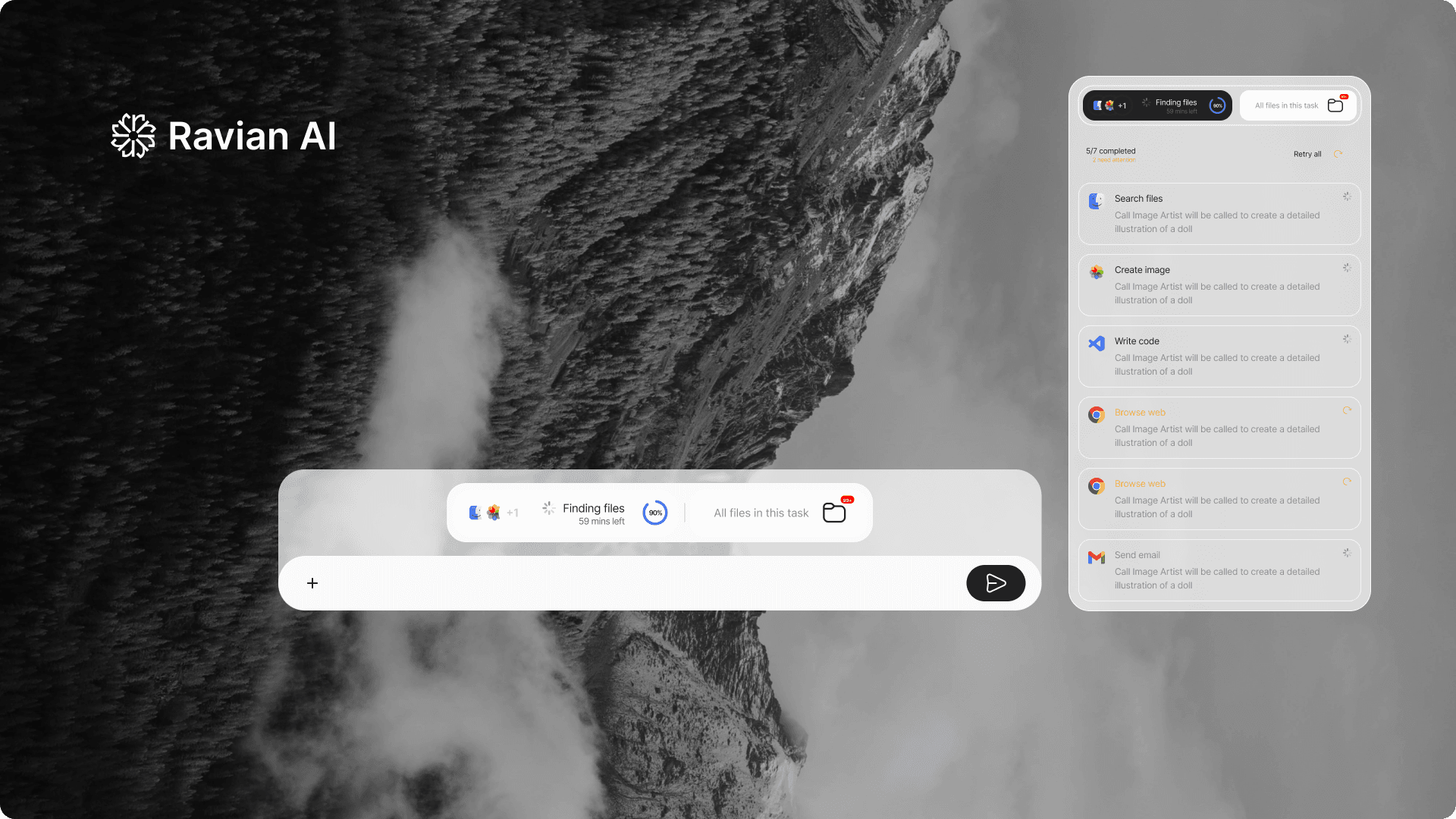
3. Progress Without Anxiety
The status bar above the prompt communicates:
what’s happening
how far along it is
whether attention is required
It avoids urgency signals (bright colors, aggressive animation).
This supports calm progress awareness, not dopamine-driven feedback loops.
4. Outputs Over Explanations
Humans trust systems that:
produce visible results
behave consistently
don’t over-explain themselves
Ravian prioritizes files, reports, and artifacts as the primary interface. Explanations exist, but they’re secondary.
This shifts AI from assistant to executor.
Interface & System Design Decisions
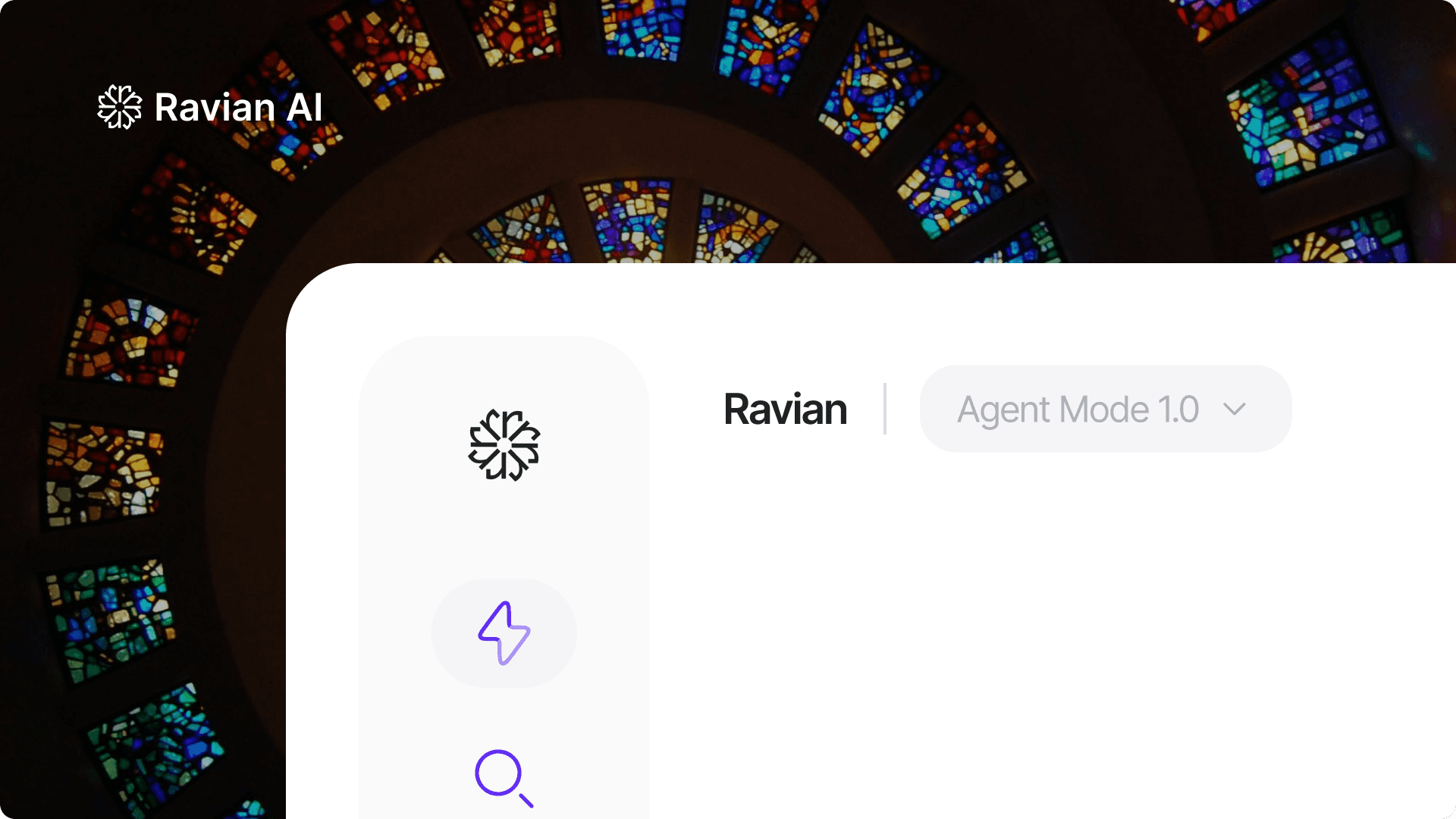
Chat vs Agent Mode Toggle
A clear, explicit mode switch prevents accidental task execution and sets expectations early.
Users always know:
whether they’re exploring
or delegating responsibility
This increases confidence and reduces misuse.
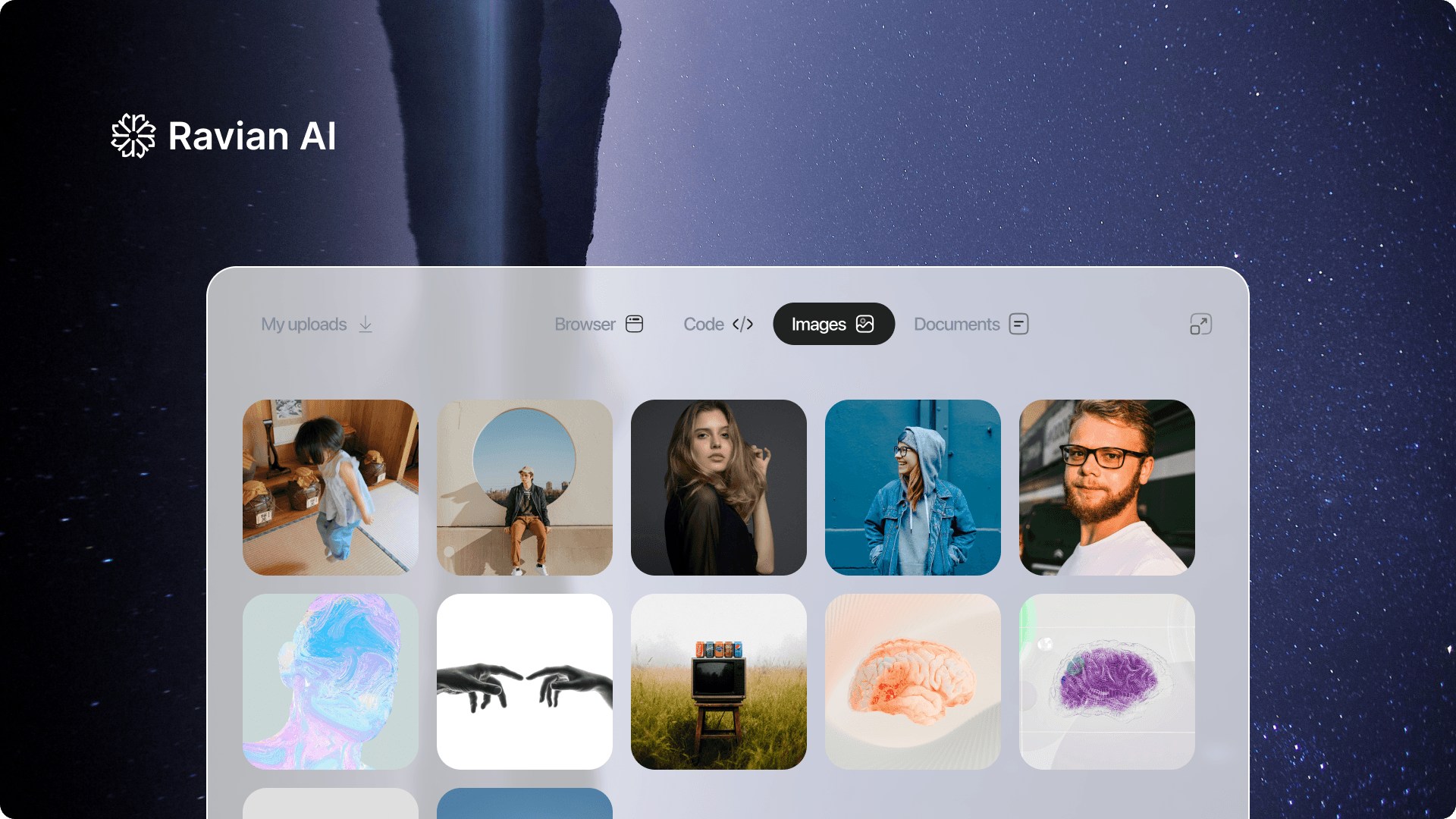
Workspace-Based Execution
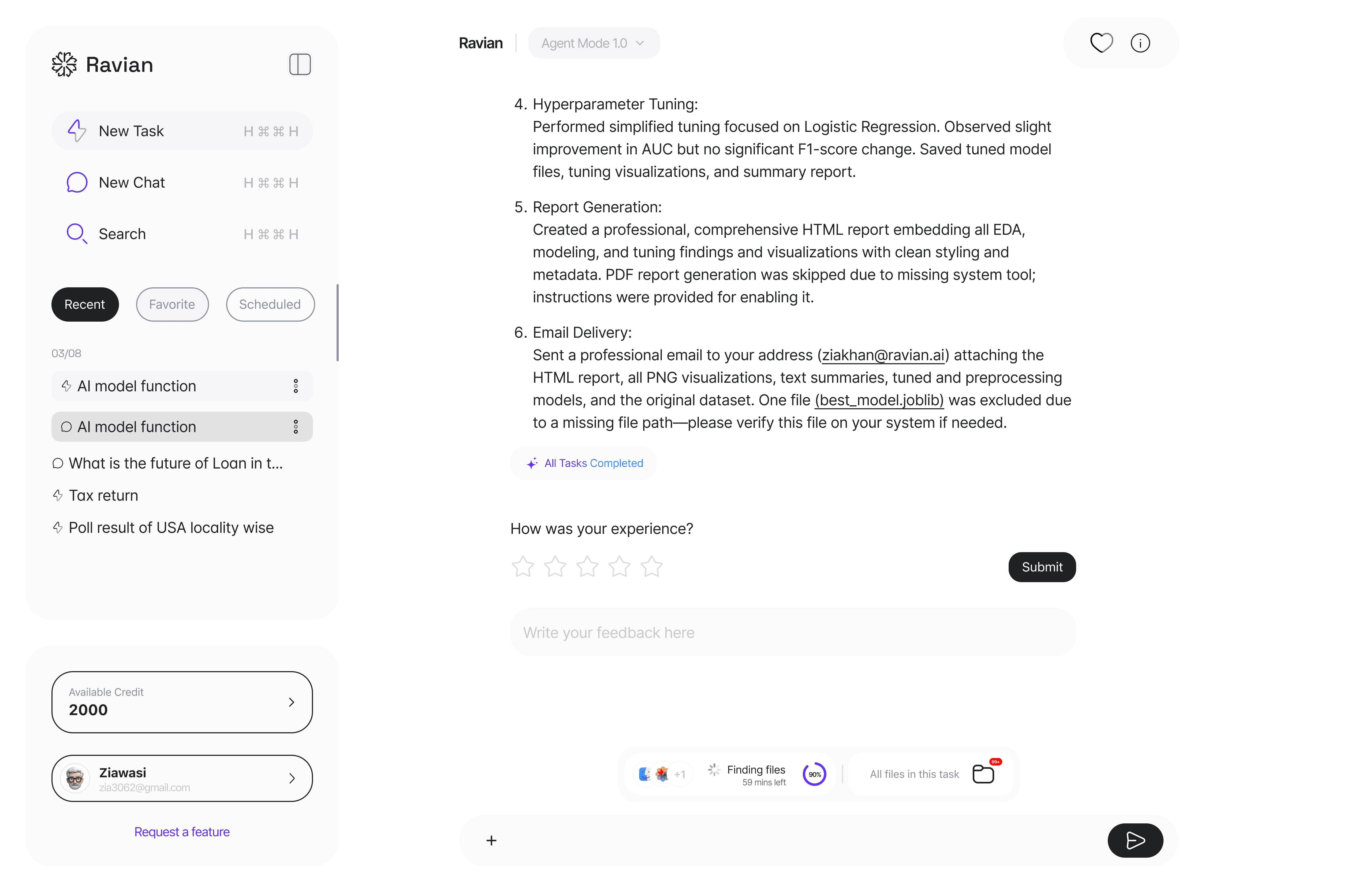
Agent execution happens in a dedicated workspace that shows:
task steps
generated files
completion state
This mirrors familiar project and OS-level metaphors, reducing learning time.
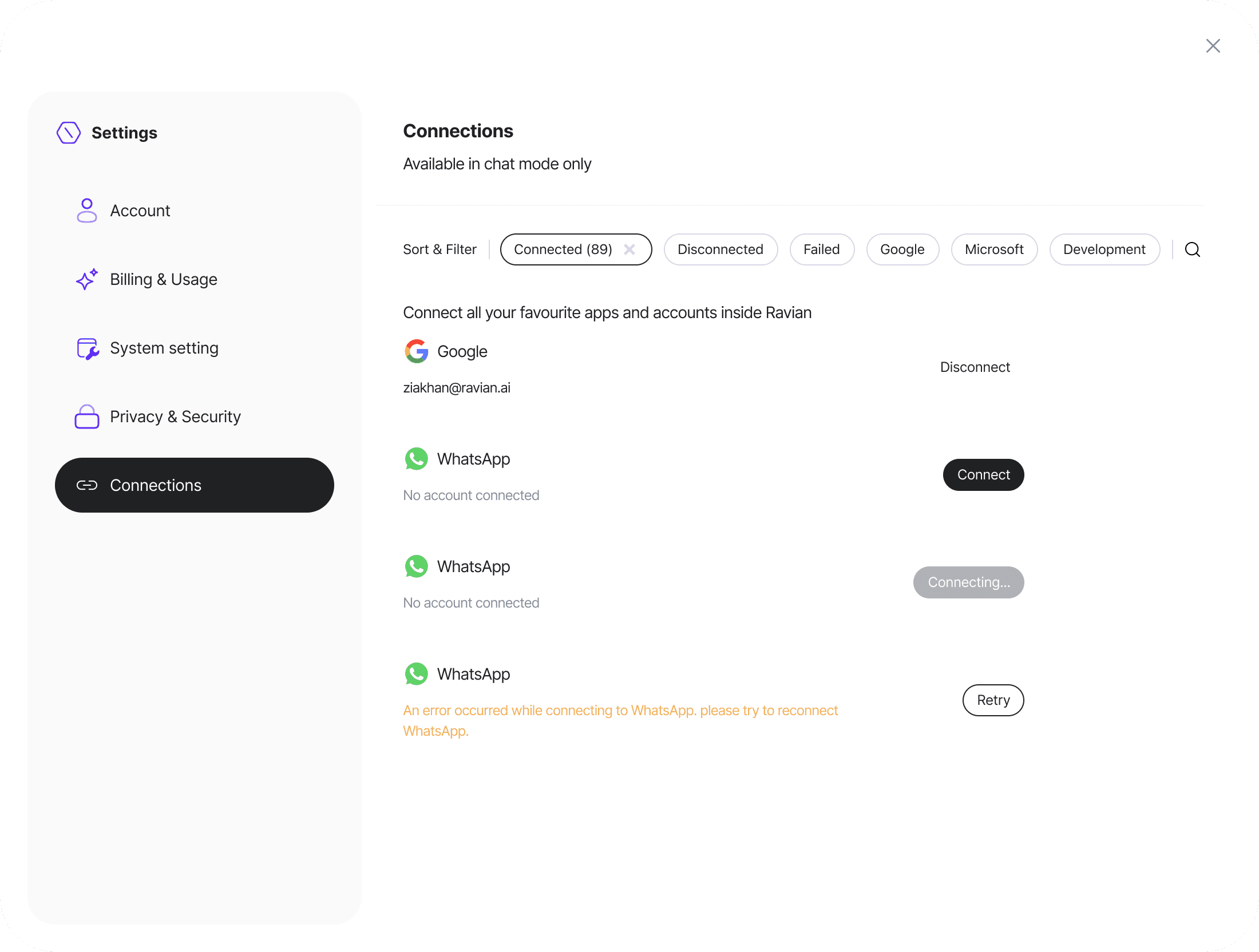
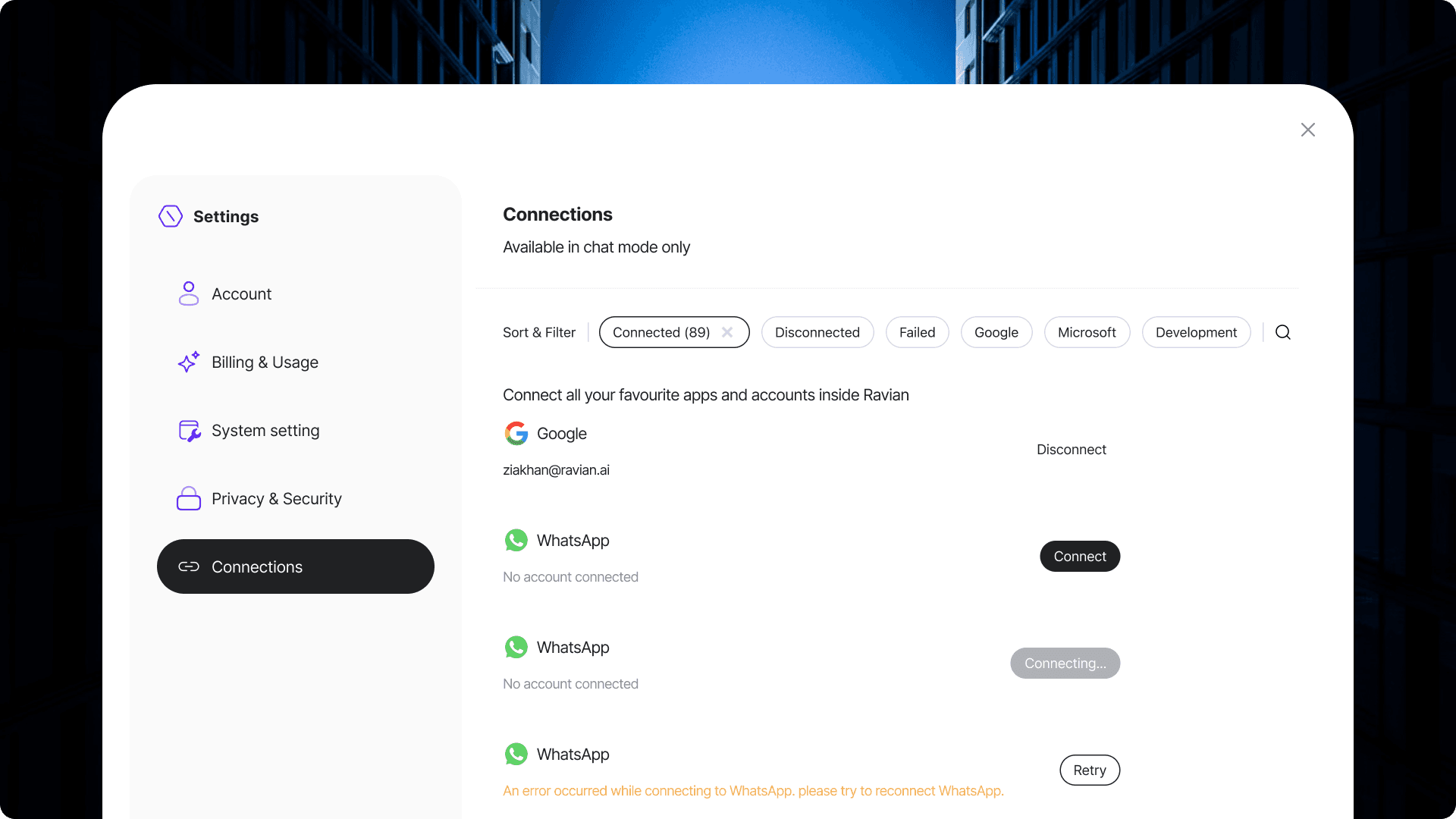
Dedicated Connections Overlay
Integrations are handled in a separate overlay instead of being embedded everywhere.
Why:
Keeps the core experience focused
Treats integrations as system capabilities, not features
Mirrors OS permission and account-management patterns
This improves trust and perceived security.
Motion & Visual Design Philosophy
Motion is used to explain state, not decorate
Visual hierarchy favors clarity over branding
Neutral palette supports long sessions
Accent colors signal interaction, not personality
The design avoids spectacle to support repeated, everyday use.
What’s Implemented vs Proposed (Transparency)
Implemented
Chat & Agent mode separation
Prompt-first interaction model
Task execution views
Connections management overlay
Proposed / Directional
Background execution
System-level invocation
Fully ambient AI behavior
This case study reflects design leadership, not feature overclaiming.
Outcome (Design-Level)
Ravian establishes a clear mental model early:
AI is something you delegate to, not converse with endlessly
The system stays understandable even as tasks grow complex
Users always know what’s happening and where results live
Even in its current state, the product feels structured, intentional, and trustworthy — setting a strong foundation for future system-level evolution.
Reflection
Ravian reflects my belief that the future of AI is not louder interfaces, but quieter systems. Designing for absence — knowing what not to show — became the most important part of the work.
This project strengthened my approach to product design:
clarity over cleverness, behavior over appearance, and trust over novelty.
My Role
Head of Product & Design
Product vision · UX strategy · Interaction design · Interface systems · Motion principles · Early-stage product direction
Category:
Product Design
Client:
Ravian Artificial Intelligence Pvt Ltd